

This MCP searches Modellix documentation. It does not generate images, videos, or speech. For media generation through MCP, see Modellix Media Generation.
MCP (Model Context Protocol) is an open-source standard for connecting AI applications to external systems. For more information, please refer to the MCP documentation.
Remote Server
The easiest way to take advantage of Modellix Docs MCP is by using the remote URL. This provides a seamless experience without requiring local installation or configuration. Simply use the remote MCP server URL:Connect to Clients
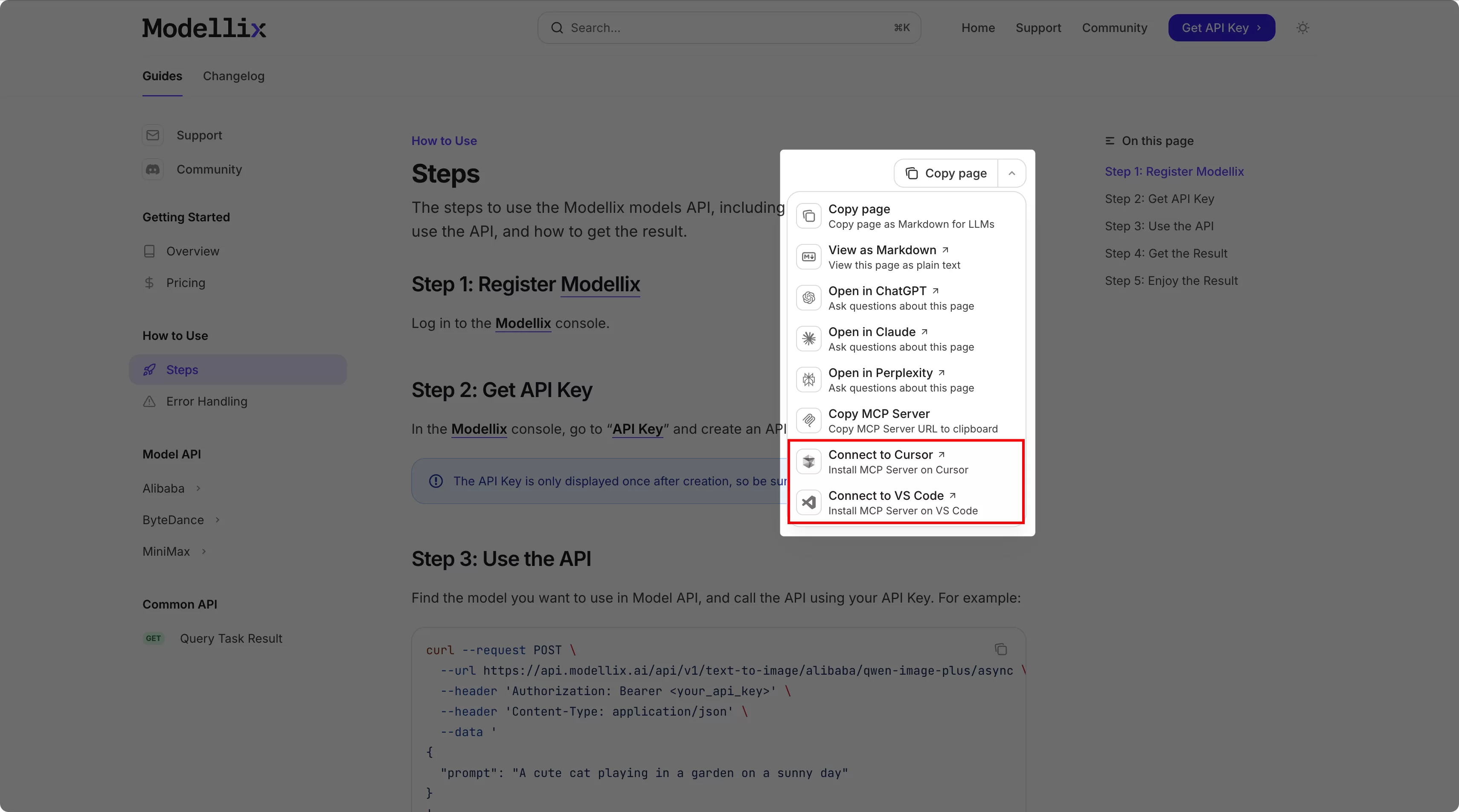 You can also connect Modellix Docs MCP to popular coding AI tools like Cursor and VS Code with just one click.
Find the “Copy Page” menu on the right side of the title on each documentation page, where you’ll find buttons to connect to Cursor and VS Code with one click.
You can also connect Modellix Docs MCP to popular coding AI tools like Cursor and VS Code with just one click.
Find the “Copy Page” menu on the right side of the title on each documentation page, where you’ll find buttons to connect to Cursor and VS Code with one click.
With Smithery
You can also connect to Modellix Docs MCP on Smithery.With MCP.so
You can also connect to Modellix Docs MCP on MCP.so.OpenAI
Allow models to use remote MCP servers to perform tasks.How It Works
Once your AI application integrates with Modellix Docs MCP, it can directly search the Modellix documentation instead of performing a generic web search when responding to user prompts. Modellix Docs MCP provides access to all indexed content on the documentation site.- AI applications can proactively search Modellix documentation while generating responses, not just when explicitly requested.
- AI applications decide when to use the search tool based on the conversation context and the relevance of Modellix documentation to the current topic.
- Each search (tool call) occurs during the generation process, so AI applications retrieve the latest information from Modellix documentation to generate responses.
Search Filter Parameters
The MCP search tool supports optional filter parameters that AI applications can use to narrow down search results.
AI applications decide when to apply these filters based on the context of the user’s query. For example, if a user asks about a specific API version or requests code examples, the AI application may automatically apply the appropriate filters to provide more relevant results.