

Discover Models
Before generating content, you can easily find the model that best suits your needs:- Modellix Models: Browse our curated list of featured models, latest releases, and model families.
- Modellix Explore: Use our comprehensive search page to filter and find any model by provider, category (e.g., text-to-image, text-to-video, text-to-speech), or specific features.
Create in the Playground
Once you find a model you want to try, simply click on it to enter its detail page. Every model’s detail page features a built-in Playground. Here, you can:- Input your text prompts (You can optimize your prompts with AI).
- Upload reference images, videos, or audio when the model supports them.
- Adjust model-specific parameters like resolution, aspect ratio, duration, voice, and more.
- Generate and preview the results instantly.
Playground Interface
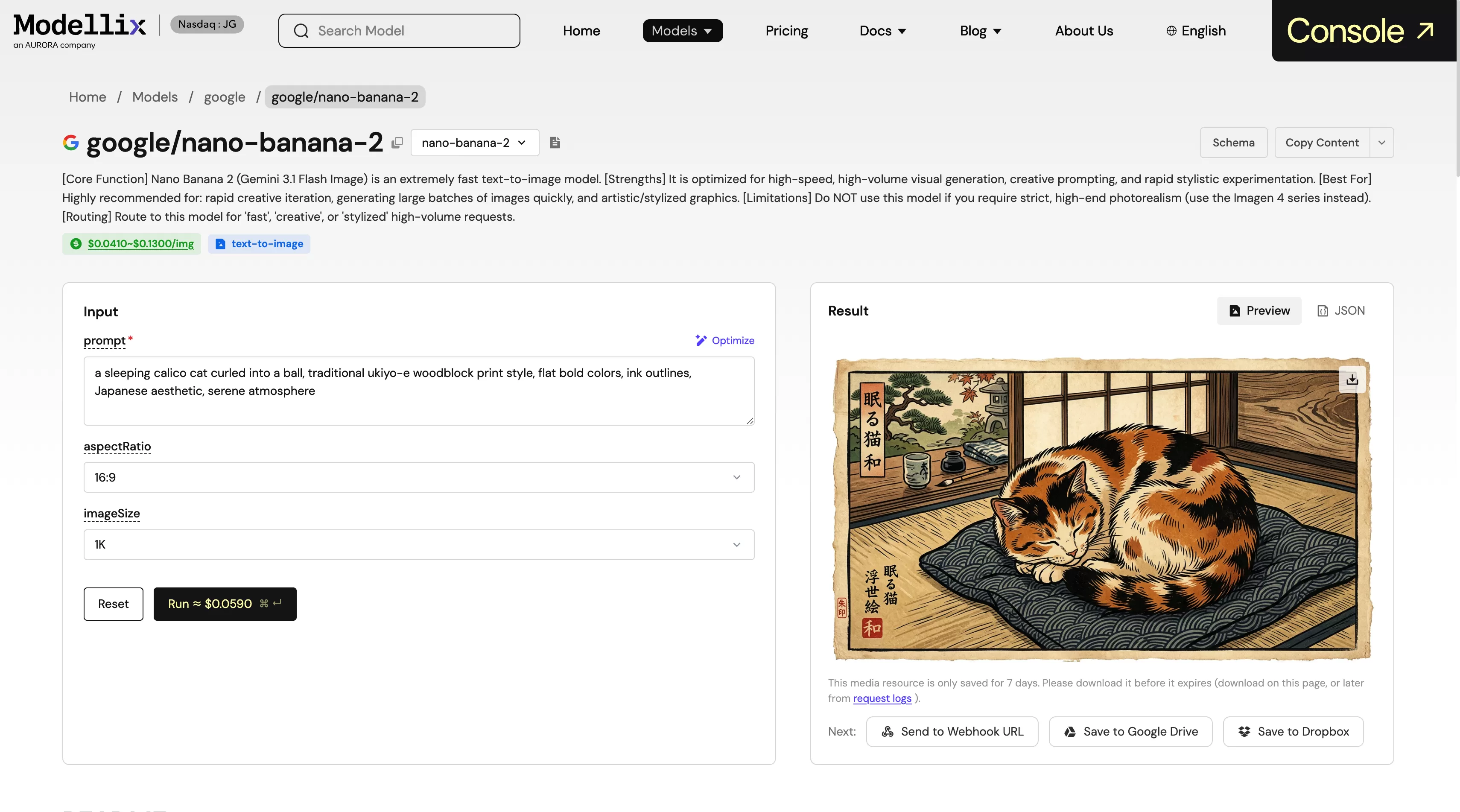
Benefits for Creators
- Zero Setup: No need to configure API keys or development environments. Just log in and start creating.
- Visual Controls: Intuitively adjust parameters with sliders and dropdowns instead of JSON payloads.
- Instant Feedback: Iterate rapidly on your prompts and see the results immediately.
- Inspect JSON Payload: Switch to the JSON tab in the result panel to inspect the exact API response, seamlessly bridging the gap between prototyping and development.
- Transparent Pricing: The detailed pricing for every parameter combination is clearly displayed, so you always know exactly what you’re spending.
- One-Click Delivery: Send your generated media (including images, videos, and audio) directly to external storage or workflows with a single click. We currently support exporting to:
- Designated Webhook URLs
- Google Drive
- Dropbox